
 |
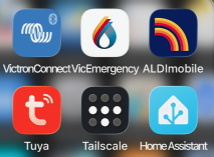
A number of apps are kept in the ARMAC folder. The use of most of these is self-evident: The BOM app is for weather forecasting, the VicEmergency app provides fire and other warnings, Victron connect provides local information on the state of the battery charging, and the Aldimobile app is used to check that the mobile cards for the Teltoninka router, and the pump control module, are in credit, and to top up that credit if it is getting low. Topping up the mobile net credit at a time of fire danger is a sensible precaution.
The video camera is for observing the situation prior to a fire front arriving. It is not designed to survive a firefront. It’s current view can be seen in the Main Controls dashboard. To incline the camera up or down, or rotate it horizontally, you need to use the Tuya Smart app.
Double clicking on the Tuya Smart app opens a home page showing a pane for the “Smart Camera”, and another for several smart switches which are described later, and used in a situation where the system needs to be reset.
 |
 |
Double clicking on the “Security Camera” pane opens up the view (left below). Tap on the dotted box (bottom left corner) and that opens the full page view (right below). Bottom left is a navigation button. Also on a touch screen you can drag the camera view left, right or up or down.
 |
<< User Instructions | | Trouble Shooting >>